How to Share Google Site Kit Statistics with Other WordPress Users
Share on Social
Array
(
    [networks] => Array
        (
            [0] => facebook
            [1] => twitter
            [2] => pinterest
            [3] => linkedin
        )

    [has] => Array
        (
            [facebook] => 1
            [twitter] => 1
            [instagram] =>
            [pinterest] => 1
            [houzz] =>
            [linkedin] => 1
        )

)
Have you logged into your WordPress website to check your traffic statistics, only to discover that Google Site Kit is asking you to sign in with a Google account?
Don’t worry! Your website statistics haven’t necessarily disappeared. You may simply need access to a shared dashboard.
Google Site Kit is a WordPress plugin that brings information from Google Analytics, Google Search Console, and other Google services directly into your WordPress dashboard. However, when one administrator sets up Site Kit, other WordPress users don’t automatically receive access to those reports.
Fortunately, Site Kit has a feature called Dashboard Sharing, which allows authorized WordPress users to view website statistics without connecting their own Google accounts.
Here’s how it works.
Step 1: Enable Dashboard Sharing (For Website Administrators)
Before other users can view website statistics, an administrator with the appropriate permissions must enable Dashboard Sharing.
Here’s what to do:
- Log in to your WordPress dashboard.
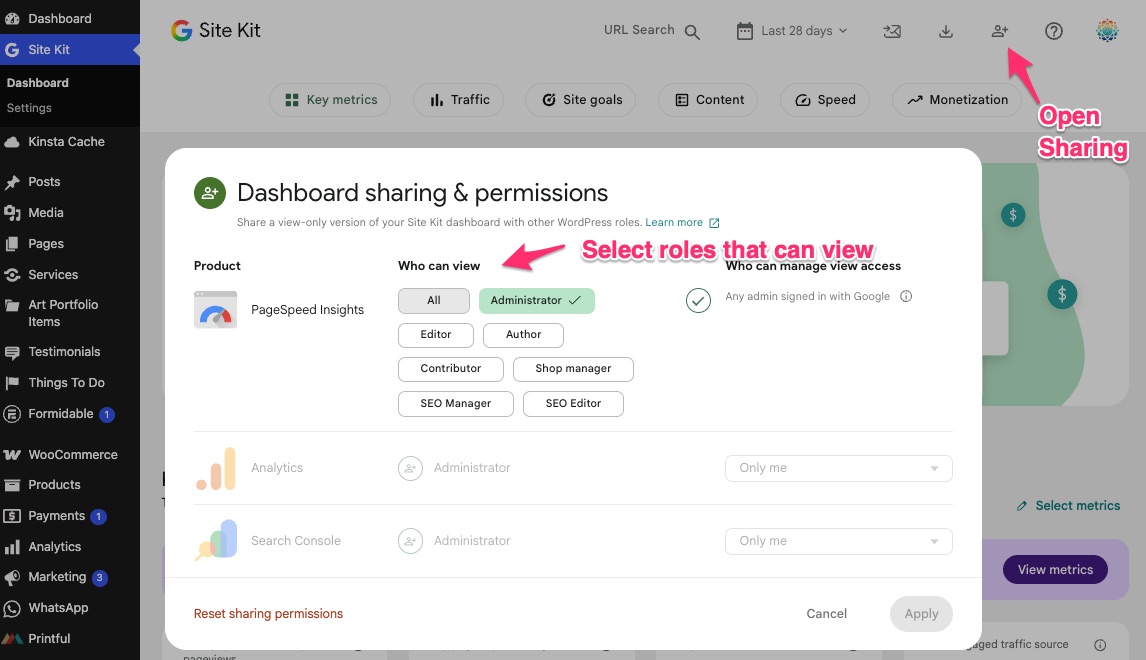
- Navigate to Site Kit → Dashboard
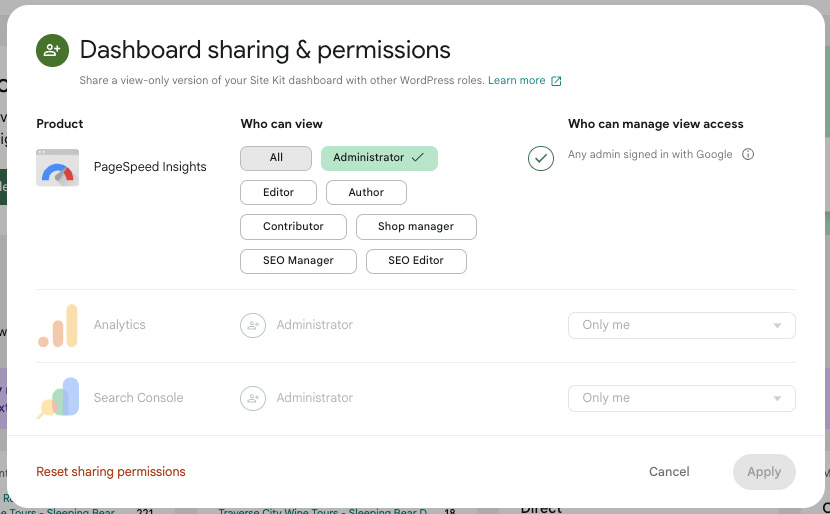
- Open the ‘Dashboard sharing & permissions’ Modal, icon is upper right hand corner.
- Select the roles you would like to share with. Roles are WordPress user levels. You can’t select individual users.
Step 2: View Your Website Statistics Without Signing Into Google (Any user other than Admin)
Once Dashboard Sharing has been enabled, other authorized WordPress users with the correct role can access a limited, read-only dashboard.
Here’s what to do:
- Log into your WordPress website using your usual username and password.
- Navigate to Site Kit → Dashboard.
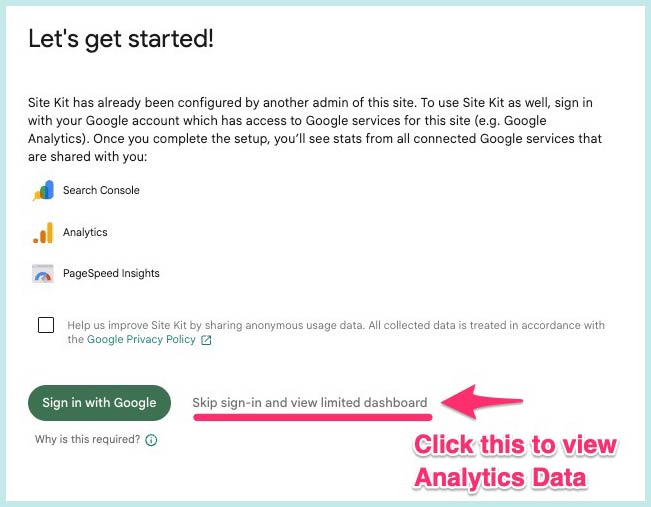
- You may see a message stating that Site Kit has already been configured by another administrator and asking you to sign in with Google.
- Instead of signing in → look for the link labeled ‘Skip sign in and view limited dashboard’.
- Click that link to access your shared website statistics.